 LUX - Illuminance Meter
User Guide
Basic Usage
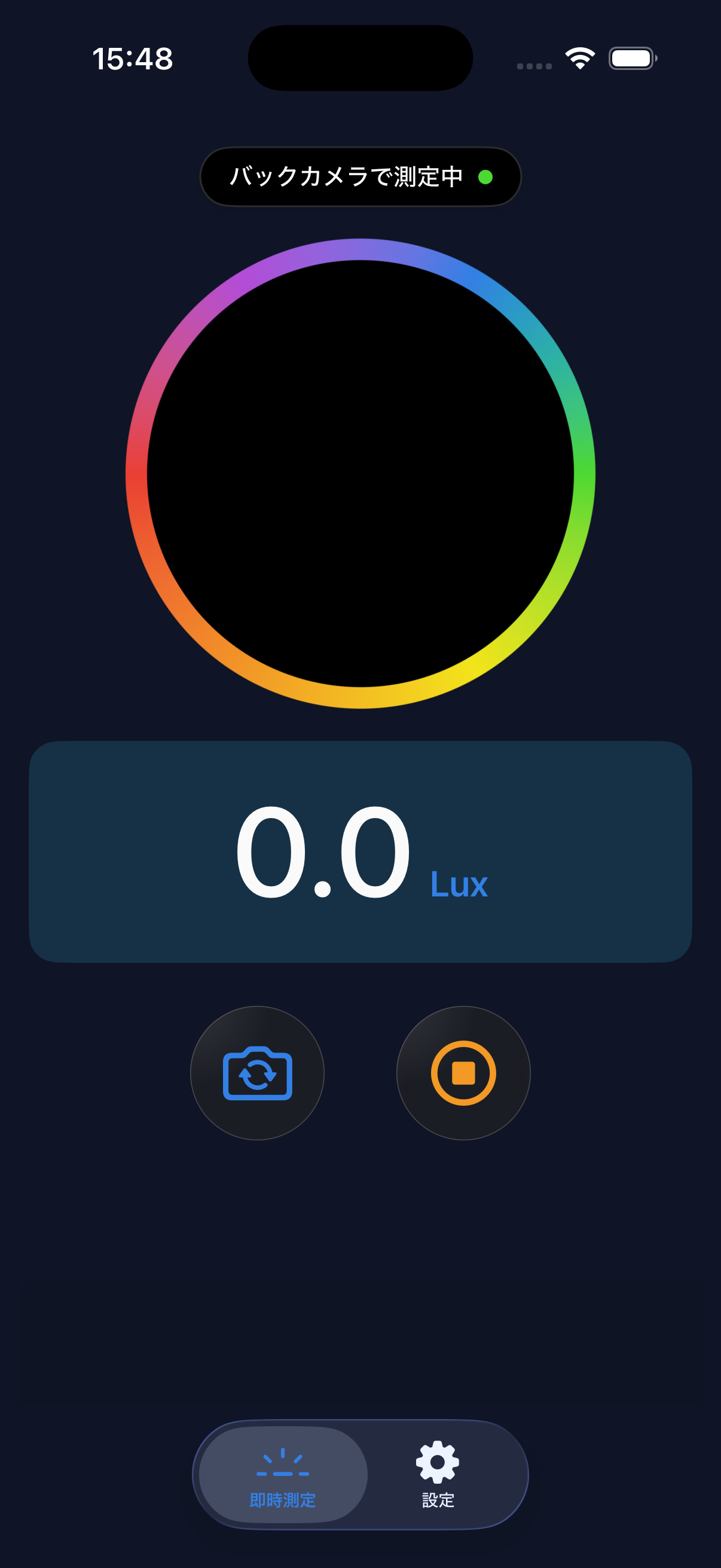
- Launch the app to automatically start measuring illuminance.
- The current illuminance is displayed in lux on screen.
- Point the camera towards the area you want to measure.
- Long press the screen to freeze (lock) the value.
Measurement Tips
- Keep the camera steady — Shaking causes the readings to fluctuate. Place the device on a stable surface for more accurate results.
- Avoid pointing directly at light sources — Extremely bright light sources may exceed the camera sensor's limits, resulting in inaccurate readings.
- Low light conditions — In very dark environments, accuracy may decrease due to the camera sensor's sensitivity limits.
For higher precision, we recommend using a professional illuminance meter. This app displays approximate values calculated from the smartphone camera.
Lux Value Reference
| Environment | Lux Value |
|---|---|
| Moonlight | ~1 lux |
| Dim room | ~50 lux |
| Typical office | 300–500 lux |
| Bright indoor | 500–1,000 lux |
| Overcast outdoor | ~10,000 lux |
| Direct sunlight | ~100,000 lux |
Glare Level
Based on the measured lux, the current environment is shown in 5 levels: Dark, Dim, Comfortable, Bright, and Glaring. The thresholds reference JIS Z 9110.
Color Temperature (CCT / Kelvin)
Below the Lux value on the measurement screen, the current light source's color temperature is shown in Kelvin (K). Use it as a reference for the warmth or coolness of light — roughly 3000K for warm bulbs and around 6500K for daylight.
Color temperature display is available free for all users. Saving to history and CSV export are LUX Pro features.
Min / Avg / Max Automatic Recording
While measuring, the minimum, average, and maximum lux values are tracked and shown on screen. When you tap the stop button, the values at that point become eligible for saving. LUX Pro lets you keep them in history and export them in CSV.
Min / Avg / Max display is available free for all users.
Unit Toggle (lux / fc)
From the "Illuminance Unit" setting, switch the display between lux and fc (foot-candles). Conversion uses the industry standard 1 fc = 10.764 lux. fc is common in North America.
The switch applies immediately to the measurement screen and the history list. CSV exports are always in lux, to avoid unit confusion when sharing data.
PPFD (Photosynthetic Photon Flux Density)
Shows PPFD (µmol/m²/s) for use cases like plant growing or photography. Switching the light source type (sunlight / LED / fluorescent / incandescent) changes the conversion coefficient.
PPFD is a LUX Pro feature.
Measurement History & CSV Export
Save measurements with notes and review them later in a list. Use the "Export CSV" button on the history screen to export your saved records as a CSV file for sharing or transferring.
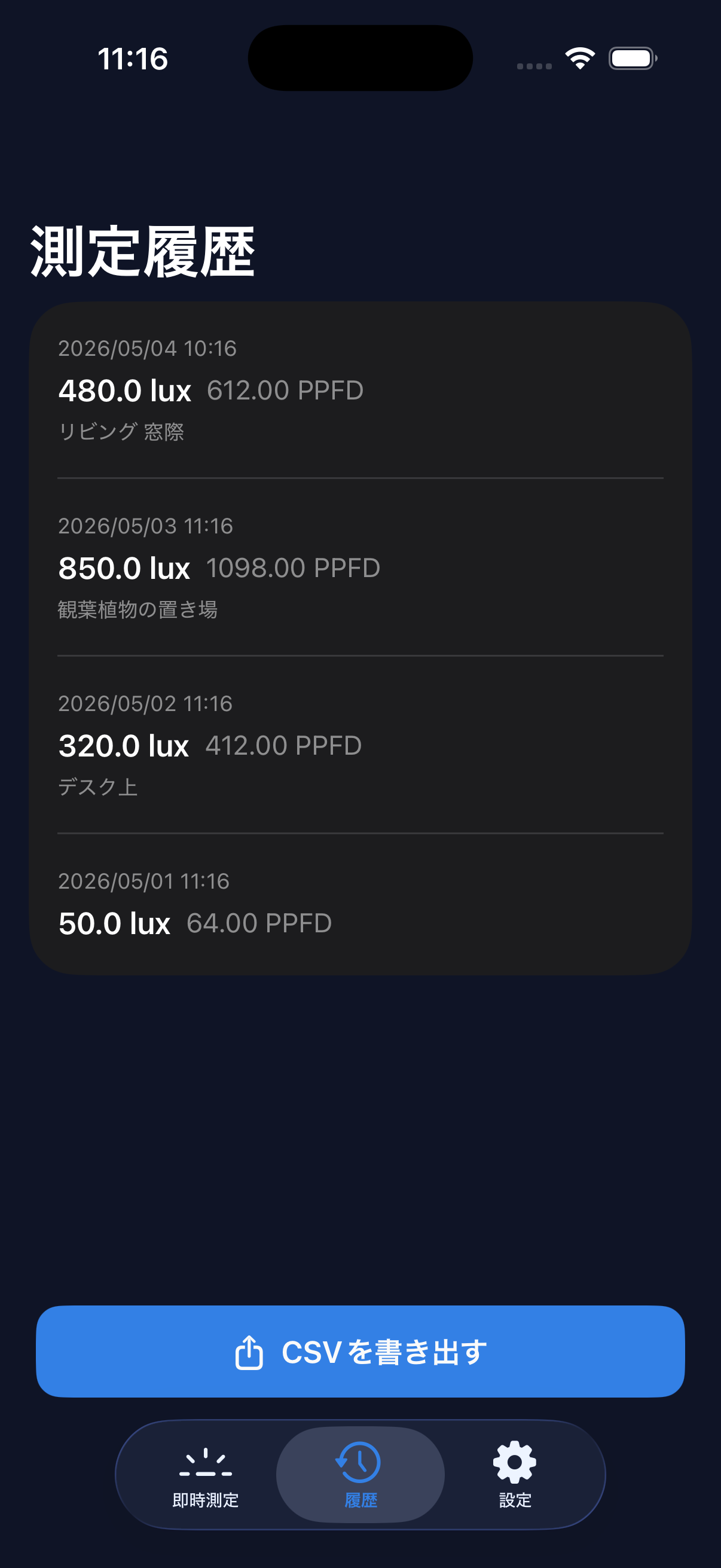
Saving and viewing history, and CSV export, are LUX Pro features.
About LUX Pro
LUX Pro is a paid subscription plan. Subscribers get the following benefits:
- No ads (banner / interstitial)
- PPFD display
- Save and view measurement history
- CSV export
See the LUX Pro page for pricing and auto-renewal details.
How to Purchase
Access the LUX Pro purchase screen from the Settings tab in the app.
Restore Purchase
After changing devices or reinstalling the app, use the "Restore Purchase" button in Settings. You must be signed in with the same Apple ID.
FAQ
Q. Are the measurements accurate?
A. The readings are approximate values calculated from the iPhone's camera sensor. Accuracy depends on the device's camera capabilities and may not match professional illuminance meters.
Q. Why is CSV in lux even when I set the display to fc?
A. CSV is intended for sharing measurements with others, so we always export in lux regardless of the display setting. This avoids misreadings when the sender and recipient use different units. The conversion factor is 1 fc = 10.764 lux.
Q. When does Min / Avg / Max reset?
A. Switching between front and back cameras resets the aggregation. Tapping the stop button (freeze) keeps the aggregation and continues it when you resume. You can save after a very short session, but with few samples the aggregated values are less reliable.
Q. Why does color temperature show "—"?
A. When the surrounding light is too dim (roughly below 10 lux) or outside the supported range (2000K–10000K, e.g. under strong monochromatic light), a reliable color temperature cannot be calculated. Try again under typical lighting conditions.
Q. Is there a free trial?
A. Eligible new subscribers can receive a 7-day free trial on the monthly or annual plan. Only one introductory trial is available within the subscription group. The lifetime plan does not include a free trial.
Q. How do I cancel my subscription?
A. Go to iPhone Settings > Apple ID > Subscriptions, then select LUX to cancel.
Q. I can't restore my purchase.
A. Make sure you're signed in with the same Apple ID used for the original purchase. If the issue persists, please contact us via the form below.
Q. Is there an Android version?
A. Currently under consideration.
Contact
For questions or bug reports, please contact us: